 Written by
 Now it’s almost time to back to school, have enjoyed a color and meaningful Summer break? Let’s get ready and be excited for another great term! Meanwhile, after a long summer holiday, are you looking forwared to see everyone and prepare some cool gifts for your classmates or teachers?
Welcome to the Pavtube 2014 Back to School Promotion Center where Up to AMAZING 35% OFF Back to School Specials are waiting for you. You be surely be entertained at your free time.

The giveaway includes Blu-rays, DVDs and HD Videos related software which will give you great experience when enjoying these videos and movies on Android/Apple/Windows devices. Besides that, you will have no worry about any compatibility issues when editing the MTS/MOV/MXF files in Mac editors(FCP, FCE, iMovie, Avid Media Composer, Adobe Premiere, etc.), and Windows editing programs (Sony Vegas, Premiere Pro, Movie Maker, etc.)!
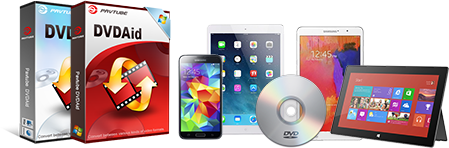
Hurry to get- 30% OFF DVDAid for Mac now!
Powerful abilities to remove DVD protection, convert DVD to any video and audio format, and edit DVD to create personal movie on Mac.
TERMS & CONDITIONS APPLIED:
The deal is valid from 15th Aug to 15th Sep, 2014
More details are here:
http://www.multipelife.com/back-to-school-specials-2014
From: http://bestvideosolution.blogspot.com/2014/08/2014-back-to-school-promo-discount.html
 Now, i have hold the playbook for two weeks. It looks and feels nicely. I took many tests on it, just like play


 As a PlayBook user, most of the time, i watch movies on PlayBook. It’s so portable that we can take it anywhere. Since it supports 1080p playback. We don’t need to worry about the video quality. The following i will share you my solution to convert Blu-ray or DVD movies to PlayBook.
 Dropbox doesn’t have an official app in the BlackBerry App World marketplace, but if you want to access files and folders stashed on other computers, you owe it to yourself to download BlueBox. This free PlayBook app lets you access, rename, and delete files, as well as create new folders. BlueBox’ only drawback is that you can’t upload content from the PlayBook to Dropbox, and there’s no way to share files—yet.
 Documents To Go—comprised of Word To Go, Sheet to Go, Slideshow To Go—is a free office suite that comes pre-loaded on the PlayBook that lets business-minded individuals create and edit documents, spreadsheets, and slideshows. If you want to stay productive while away from the PC, this app trio is one you can’t do without.
 If you fancy learning important phrases from another language, but don’t want to shell out the big bucks for Rosetta Stone, the free iSpeech Translator is just what you need. After selecting your native tongue and the target language, you key in—or speak—a phrase. iSpeech then processes the information and spits out a translation, not only with speed, but also with accuracy. Chinese, Dutch, English, Japanese, Italian, French, Finnish, Russian, and Spanish are just a few of the included languages.
Recent Comments